
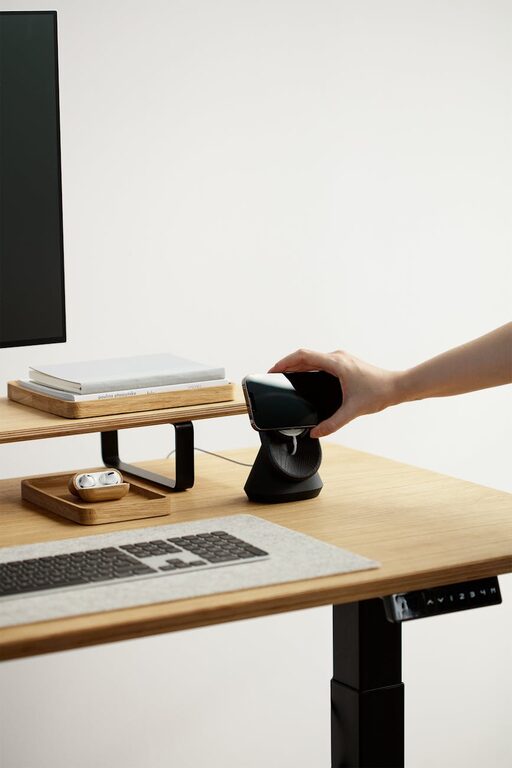
Creating a comfortable and efficient home workspace is essential for enhancing productivity and maintaining a healthy work-life balance. Whether you work remotely full-time or occasionally take your tasks home, a well-designed workspace helps you stay focused and motivated. In this post, we’ll explore practical tips for crafting a cozy and functional home office that suits your needs and style.
Choose the Right Location
Finding the perfect spot for your workspace is the first step. Ideally, pick a quiet area with minimal distractions. Common choices include:
– A spare bedroom
– A corner in the living room or bedroom
– A section of your dining room
– A nook near a window for natural light
Consider your daily workflow and how often you need privacy. Avoid high-traffic areas that can pull your attention away from work.
Prioritize Natural Light
Good lighting has a significant impact on your mood and productivity. Try to position your desk near a window to benefit from natural light, which reduces eye strain and helps regulate sleep patterns.
If natural light is limited, invest in quality artificial lighting. A combination of ambient lighting and focused task lighting, such as a desk lamp, ensures a well-lit workspace at all hours.
Invest in Ergonomic Furniture
Comfort is key when setting up a functional workspace. Ergonomic furniture supports your posture and reduces physical strain, even during long workdays.
Here are some furniture pieces to consider:
– Ergonomic chair: Adjustable height and lumbar support to keep your back comfortable.
– Desk with sufficient surface space: Enough room to accommodate your computer, notes, and other essentials.
– Adjustable monitor stand: To keep your screen at eye level and prevent neck strain.
– Footrest (optional): Helps maintain good leg positioning and improves circulation.
Keep Your Workspace Organized
An organized workspace minimizes distractions and speeds up your workflow. Here are simple ways to stay tidy:
– Use drawer organizers or desk trays to keep small items in place.
– Incorporate shelves or filing cabinets to store documents and supplies.
– Cable management solutions like clips or sleeves prevent cords from tangling.
– Declutter regularly to remove unnecessary items.
Personalize Your Space
Adding personal touches can make your workspace inviting and boost your mood. Consider bringing in:
– Plants: They improve air quality and add a refreshing look.
– Artwork or photos: Visual elements that inspire and bring joy.
– Cozy textiles: A soft rug, cushions, or a throw blanket for extra comfort.
– A favorite mug or stationery that makes work feel special.
Just remember to avoid overdecorating, which can create visual clutter.
Improve Acoustics
Sound levels affect your ability to concentrate. To create a quieter environment:
– Use rugs and curtains to absorb noise.
– Consider noise-cancelling headphones during calls or focused work.
– Install a white noise machine if household sounds are distracting.
If you live with others, communicate your work hours to minimize interruptions.
Use Technology Wisely
Equip your workspace with the technology you need to work efficiently:
– Reliable internet connection
– Quality headset or speakers for calls
– External keyboard and mouse for ergonomics
– Backup power supply or surge protector
Keep software and devices updated to avoid technical issues.
Establish a Routine
A well-crafted workspace supports your routine. To help maintain focus, set regular work hours and take breaks:
– Use a timer or app to remind you to stretch or relax.
– Keep a water bottle nearby.
– Step outside for fresh air periodically.
Having a dedicated place and routine separates work from personal time, reducing burnout.
Final Thoughts
Designing a cozy and functional home workspace takes some thought but pays off by improving comfort and productivity. Focus on good lighting, ergonomic furniture, organization, and personal touches to create an inspiring and efficient environment. With these tips, your home office can be a place where work feels enjoyable and manageable every day.
